A forecast you can trust, and a team that knows who to call.
Pipelines, contacts, forecasts and field activity in one CRM, with AI that warns you before a deal goes cold.
See CRM at work.
A short walkthrough of the real workflow, step by step.
In this video
- 1 Add contacts and companies
- 2 Create an opportunity
- 3 Move it through the pipeline
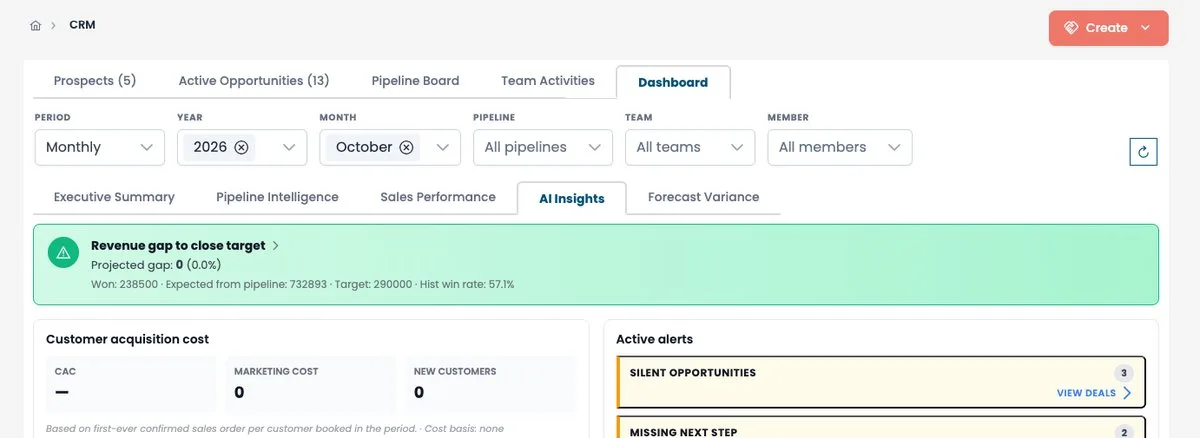
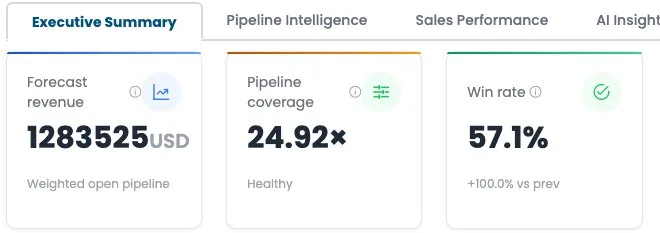
- 4 Read the executive summary
- 5 Act on AI alerts
Probability belongs to the stage, not to the rep's mood.
Stage-based probability
Each pipeline stage carries its probability and target cycle time. Move a deal, and its weight updates on its own.
Weighted pipeline value
Amount times probability, added up across the pipeline and compared with your target.
An executive summary that answers Monday's questions
Forecast revenue, pipeline coverage, conversion rate, sales cycle and the forecast gap, by team or by rep.
Everything a sales team touches in a day.
Pipeline board
Drag deals between stages on a kanban, filtered by team, rep or pipeline.
Contact interest
Every contact gets an interest level and engagement scores, so the team calls the right people first.
AI campaign assistant
Groups contacts into segments, recommends a campaign for each and drafts the content.
Follow-up campaigns
Audience and exclusions, channels, content blocks and personalisation, in three steps.
Sales rep activities
Calls, meetings and emails logged against contacts and deals, in a calendar and a table.
Lost-reason tracking
Know why deals are lost, by stage and by reason, and fix the pipeline that causes it.
Questions about CRM?
Ask Savi, our assistant. It answers from our product documentation, in English, French or Arabic.